Arc
ComponentsBlocksDocsPricingTry the demo
Get Pro
Introduction
Installation
Theming
Motion
AI and MCP
Changelog
Metrics dashboardPro
KPI drilldownPro
Metric explorerPro
Revenue explorerPro
MRR waterfallPro
Cohort retentionPro
Usage forecastPro
Journey flowPro
Uptime statusPro
Pivot builderNewPro
Choropleth explorerPro
Connected scatterPro
Horizon chartPro
Account healthPro
Market terminalPro
Budget variancePro
Small multiplesPro
Line replayPro
AI chatPro
AI composerPro
AI answerPro
Model pickerPro
Model arenaPro
Prompt studioPro
Document extractionPro
Agent memoryPro
AI side panelPro
AI inline editPro
Research runPro
AI insight cardPro
Catch upPro
AI feature launchPro
AI search barPro
AI setup wizardPro
Call insightsPro
Lead scoringPro
Agent runPro
Agent tasksPro
Agent approvalsPro
Agent routinesPro
Agent orchestratorPro
MCP serversPro
Knowledge basePro
Eval suitePro
Agent builderPro
Agent galleryPro
SidebarPro4
Page header
Command palette
Notification center
Selection toolbarPro
Empty states
Search resultsPro
Login and sign up5, free and Pro variants
Onboarding illustrationPro
OTP input
Multi-step formPro
Two-factor setupPro
Magic linkPro
Settings pagePro
Settings commandPro
Security settingsPro
Billing overviewPro
Usage billingPro
Cancel flowPro
Onboarding surveyPro
Spend alertPro
Team membersPro
Invite peoplePro
Team directoryPro
Roles and permissionsPro
Profile pagePro
API keysPro
WebhooksPro
IntegrationsPro
Environment variablesPro
Domain verifyPro
Webhook testerPro
Plan comparison
Pricing calculatorPro
Usage pricingPro
Cart drawerPro
Checkout summaryPro
Live checkoutPro
Seat managerPro
Credit top-upPro
Invoice studioPro
Wallet cardPro
Delivery trackerPro
Product listingPro
Product detailPro
Seat mapPro
Activity feedPro
Inbox triagePro
Support conversationPro
Support widgetPro
Help centerPro
Feature votingPro
File upload
Media playerPro
Week calendarPro
Availability pickerPro
Project boardPro
Gantt timelineNewPro
Release readinessPro
Kanban boardPro
Feedback boardPro
Smart schedulerPro
Task breakdownPro
Goal trackerPro
Hero section
Hero signupPro
Scroll storyPro
Spotlight gridPro
Feature bentoPro
Comparison table
Logo marquee
Studio perspectivesPro
Stats band
Changelog feed
FAQ section
Contact section
Team showcasePro
Blog grid
Site header
Site footer
CTA section
Newsletter signup
Activity terrainPro
Revenue globePro
Customer galaxyPro
Semantic zoomPro
Layout morphPro
Exploded viewPro
What’s new4 new
BlocksPlan comparison

Plan comparison

Compare meaningful differences between plans and billing periods.

$pnpm dlx shadcn@latest add @uiarc/plan-comparison
Live block · sample data

When to use

  • Comparing two tiers side by side with a feature matrix.
  • Pricing pages that switch between monthly and yearly prices.
  • Long feature lists where people want to see only the differences.

When not to use

  • Use usage-pricing when price depends on seats or volume.
  • Use segmented-control alone for a simple billing toggle.
  • Use cancel-flow for downgrade or cancellation decisions.

Installation

Add Plan comparison with the shadcn CLI, or copy the source by hand.

$pnpm dlx shadcn@latest add @uiarc/plan-comparisonpnpm dlx shadcn@latest add @uiarc/plan-comparison

Adds the block and its local dependencies, and installs motion, lucide-react. First time? Add the @uiarc registry to components.json, or use the full URL:

Usage

Use this when people need to weigh plans side by side. Replace the sample features and prices with your current offering.

example.tsx
1import { PlanComparison } from "@/components/arc/blocks/plan-comparison/plan-comparison";2 3export function PricingPage() {4  return <PlanComparison />;5}
Built fromSegmented controlButtonMotion

API reference

PlanComparison

A Team vs Studio comparison with a monthly or yearly toggle, animated prices, and a feature matrix. Takes no props; plans, prices, and features are sample data in the file.

No props.

Accessibility

  • The matrix uses table, row, columnheader, rowheader, and cell roles.
  • Prices are aria-live with aria-atomic so the full value is read.
  • The chosen plan is announced in a role="status" footer.

Motion

  • Prices count between billing periods and the selection highlight moves with layoutId.
  • Extra feature rows expand in height with a light blur.
  • Reduced motion jumps to the final values and disables height animation.

Responsive behavior

  • Below 640px the feature header column hides and each feature name spans the row above its two values.
  • Below 365px plan and value padding tighten so both plans still fit side by side.

Performance

  • Prices tween with a single animate call per value; the selection highlight uses one layoutId.
  • Showing extra rows animates height, so keep the matrix to a few dozen features.

Notes for AI

Give your coding assistant the Markdown reference instead of screenshots.

  • Use when people compare two tiers side by side.
  • Edit the pricing and features constants; there is no selection callback, so wire the Button onClick yourself.
  • Composes Arc Button, SegmentedControl, and Switch.
/components/blocks/plan-comparison/markdown

The full library index for assistants is at /llms.txt.

Related

Usage pricingProBlockA pricing calculator that finds your plan as you drag seats and traffic.Segmented controlComponentSwitch between a small set of related views.Animated counterComponentGive changing totals a clear sense of movement.Cancel flowProBlockA cancellation flow that answers each reason with a tailored offer and a calm hold-to-cancel.

More like this in Pro

Explore Pro
Checkout summaryProBlockAn order summary with a promo code that becomes a chip, discount and tax lines, and pay button states.
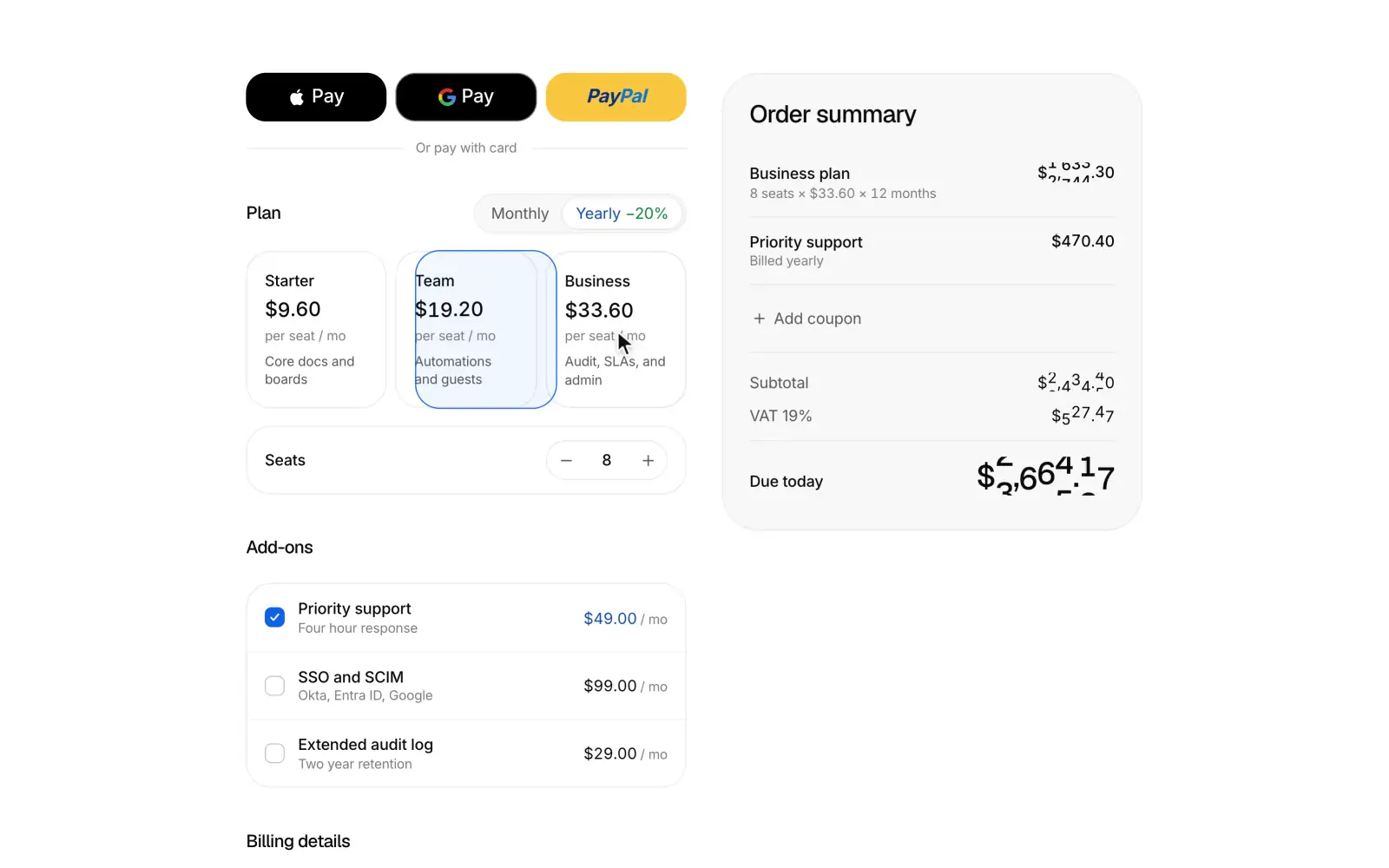
Checkout: A checkout whose summary recomputes as you edit, then unfolds into a receipt.
Live checkoutProBlockA subscription checkout whose summary recomputes as you edit, then glides to the centre and unfolds into a receipt.
Seat managerProBlockA team seats and billing card where avatars and a seat meter show members, invites and open seats against what you pay for, a stepper rolls the prorated charge for today and the new monthly total live, and changes go through a confirm step before anyone is charged. Pending invites can be resent or revoked with undo, and when every seat is taken the card says so and offers to add one.
PreviousInvoice studioNextAvailability picker
Arc · 134 block pagesllms.txt

On this page

  • Preview
  • When to use
  • When not to use
  • Installation
  • Usage
  • API reference
  • Accessibility
  • Motion
  • Responsive behavior
  • Performance
  • Notes for AI
  • Related
View as Markdown

Room for the way you work

Only the details that change between plans. Switch billing to see what you would pay.

Billed month to month

Compare plans

8 of 8 features
What changes

Team

For smaller teams
$13per seat / month

Studio

For work across teams
$27per seat / month
Active projects
TeamUnlimited
StudioUnlimited
Shared workspaces
Team1 workspace
StudioUnlimited
Guest reviewers
Team5 per project
StudioUnlimited
Version history
Team30 days
StudioUnlimited
Approval flows
TeamNot included
StudioIncluded
Custom roles
TeamNot included
StudioIncluded
Source exports
TeamIncluded
StudioIncluded
Support
TeamEmail
StudioPriority email
Prices in USD per seat. Yearly plans are billed annually.